Resolving Slow Performance Due to Hardware Limitations
Table Of Contents
Graphics Card Impact on Performance
The performance of a computer system heavily relies on the capabilities of its graphics card. A high-quality GPU enhances visual fidelity, rendering graphics more smoothly and allowing for higher frame rates during gaming and graphic-intensive applications. In scenarios where real-time rendering is crucial, the choice of graphics card becomes even more critical. Demanding software, such as 3D rendering tools or advanced gaming titles, may struggle on machines equipped with subpar GPUs, leading to lag and reduced responsiveness.
An inadequate graphics card may not only hinder performance in gaming but also affect overall productivity for artists and designers reliant on graphic design software. When the GPU fails to meet the requirements of modern applications, users may experience slow rendering times and a frustrating workflow. Thus, selecting a GPU that aligns with specific performance needs is essential for optimising overall system capabilities and ensuring a seamless user experience across various tasks.
Choosing the Right GPU for Your Needs
Selecting a GPU involves a thorough assessment of both your requirements and your budget. Gamers often seek high-performance models to ensure fluid gameplay and high frame rates, while professionals in graphic design and video editing may prioritise features like VRAM capacity and rendering speed. It’s essential to align the GPU’s specifications with the software you plan to use. Certain applications may leverage specific GPU technologies, making compatibility a crucial consideration in the decision-making process.
Apart from performance metrics, evaluating the cooling capabilities of a GPU is equally important. More powerful graphics cards generate additional heat, potentially leading to thermal throttling if not properly managed. Researching user reviews and performance benchmarks can provide insight into how well a particular model performs under load. Additionally, consider future-proofing your investment. Choosing a slightly more powerful GPU than currently needed can offer longevity, accommodating evolving software demands and enhancing overall system performance.
Cooling Solutions for Hardware
Effective cooling solutions are essential for ensuring that hardware operates efficiently. Overheating can lead to reduced performance and component failure. Utilizing high-quality fans or a liquid cooling system can significantly lower temperatures. Good airflow within the case enhances heat dissipation and promotes system longevity.
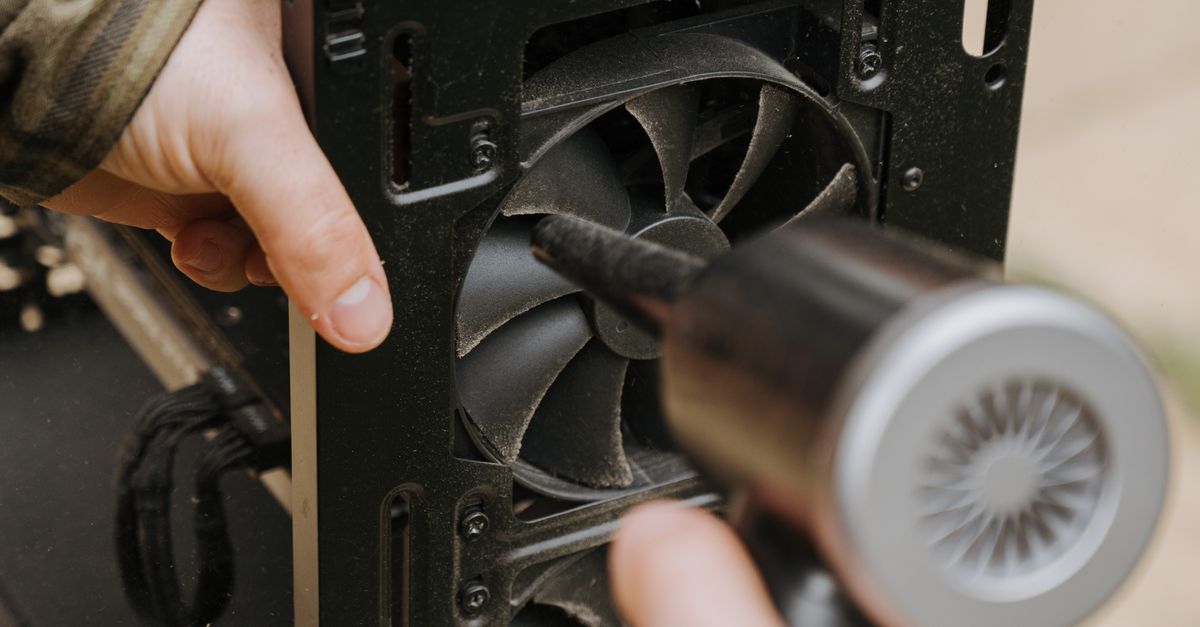
Regular maintenance of cooling systems is crucial. Dust accumulation can impede airflow, reducing cooling efficiency. Cleaning fans and heat sinks can improve performance. Additionally, thermal paste between the CPU and its cooler should be reapplied periodically to maintain proper heat transfer. Emphasising these cooling measures helps keep hardware functioning optimally.
Importance of Maintaining Optimal Temperatures
Maintaining optimal temperatures for hardware components is crucial for ensuring stable performance. Excessive heat can lead to throttling, where the system automatically reduces its power to prevent damage. This not only affects gaming or processing speeds but can also lead to unexpected shutdowns, which may result in data loss. The longevity of hardware can also be compromised, with high temperatures shortening the lifespan of components like CPUs and GPUs.
Regular maintenance routines, such as cleaning dust from vents and fans, are essential for temperature management. Utilising effective cooling solutions, whether air-based or liquid cooling systems, can help maintain efficient thermal performance. It is advisable to invest in temperature monitoring tools that allow for real-time tracking of component temperatures. By keeping an eye on these metrics, users can take proactive measures to address overheating issues before they escalate, ensuring their systems perform efficiently.
Managing Background Processes
Background processes can significantly drain system resources, leading to performance issues. Identifying which applications and services are running in the background is essential for optimising your computer's speed and responsiveness. Many users may not realise that seemingly innocuous programs can consume substantial CPU and memory, impacting overall functionality.
Utilising monitoring tools can help you track resource usage and pinpoint any problematic software. Options such as Task Manager or more advanced applications provide insights into how much CPU, memory, and disk space each process is consuming. By disabling or uninstalling unnecessary background applications, you can free up valuable resources, ensuring that your hardware can perform at its best during demanding tasks.
Tools for Monitoring Resource Usage
Monitoring resource usage is essential for identifying performance bottlenecks within a system. Various tools are available to help users track CPU, GPU, memory, and disk utilisation. Programs like Task Manager for Windows, Activity Monitor for Mac, and third-party applications such as MSI Afterburner and HWMonitor provide real-time insights. These tools allow users to see which applications consume the most resources and when spikes occur during specific tasks, facilitating informed decisions about upgrades or adjustments.
Visual representations often accompany these monitoring tools, making it easier to identify trends over time. Users can set alerts for excessive resource use, ensuring prompt action can be taken before any significant slowdowns affect performance. Regularly checking resource usage helps maintain an optimised system and can prolong the life of hardware components by preventing overheating or bottleneck scenarios. Familiarity with these tools empowers users to better manage and improve their computing experience.
FAQS
What are some signs that my graphics card is causing slow performance?
Signs of slow performance due to your graphics card may include low frame rates in games, lagging while rendering graphics, and stuttering during video playback. If your computer struggles to handle graphic-intensive tasks, it may be time to evaluate your GPU.
How do I choose the right GPU for my needs?
When choosing a GPU, consider factors such as the type of applications you use (e.g., gaming, video editing, 3D rendering), your budget, and the compatibility with your current hardware. Researching benchmark results for the games or applications you intend to run can also help guide your decision.
Why is cooling important for hardware performance?
Cooling is crucial because overheating components can lead to throttling, which reduces performance to prevent damage. Maintaining optimal temperatures ensures your hardware runs efficiently and extends its lifespan.
What are some effective cooling solutions for my computer?
Effective cooling solutions include using high-quality air or liquid coolers, ensuring proper airflow within the case, and regularly cleaning dust from components. Additionally, monitoring temperatures and upgrading fans or heatsinks can significantly improve cooling efficiency.
How can I manage background processes to improve performance?
You can manage background processes by using task manager tools to identify and close unnecessary applications that consume resources. Additionally, disabling startup programs that are not needed can free up system resources for more demanding tasks.
Related Links
Addressing Keyboard and Mouse Malfunctions EffectivelyTroubleshooting Overheating Problems in Desktop Computers
Identifying and Fixing Frequent Hardware Failures in Gaming PCs
Understanding Common Laptop Power Issues on the Sunshine Coast
Addressing Faulty Hard Drive Symptoms in Personal Computers